
EKS HELM DOCUMENTATION
Prerequisites:
AwsCli should be Installed
Kubectl should be installed
Helm Package should be installed
Prerequisites for DB:
Three databases should be provisioned -- dataflow, workschema, dataops-genai
dataflow – to store the application metadata.
workschema – to store the workschema metadata and related information.
dataops-genai – to store the AI-related metadata.
--> Dataflow database connection details should be updated in values.yaml
-->The other two databases workschema and dataops-genai will be configured and used through the application after the deployment
-->The database user should have owner privileges on the respective databases.
-->The AWS RDS PostgreSQL endpoint should be accessible from the EKS cluster, and the database connectivity should be successful.
-->The CPU, memory and storage should meet the required performance requirements.
-->The maximum database connections should be configured to 500.
--> The pgcrypto, plpgsql, and uuid-ossp extensions should be enabled.
Prerequisites for Storage:
One Static EFS PV (Amazon Elastic File System (EFS) Persistent Volume (PV))
All components share files using Amazon Elastic File System (EFS) which provides shared storage accessible by multiple pods at the same time. This storage holds logs, uploaded files, Spark history, configuration files, and custom libraries.
--> EBS is not recommended for this requirement because EBS volumes generally support attachment to a single node/pod at a time and are not suitable for providing shared ReadWriteMany (RWX) storage across multiple pods/nodes.
1.Helm Link Installation
Install the helm charts and templates using the s3 link provided by datagaps

2.Create a directory and extract the downloaded zip into target folder
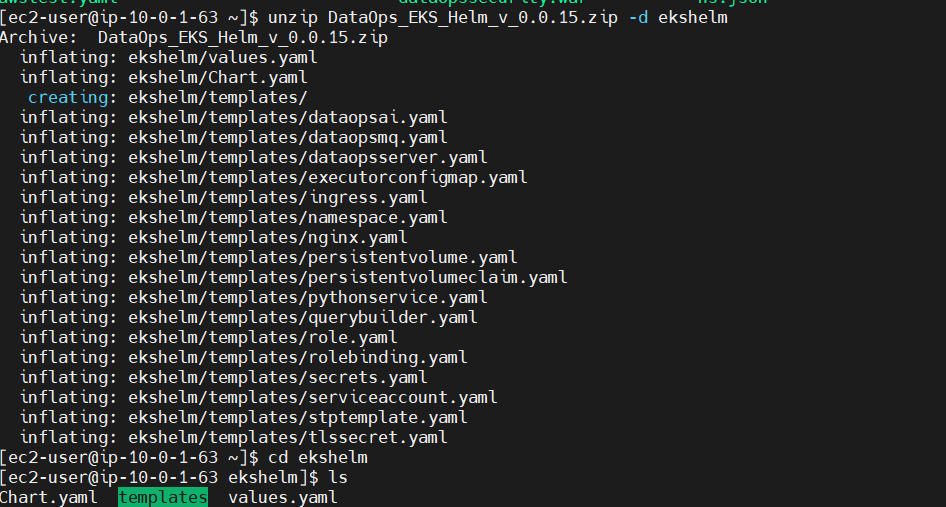
3.Change to the newly created directory and make sure to have all the required templates in the templates folder

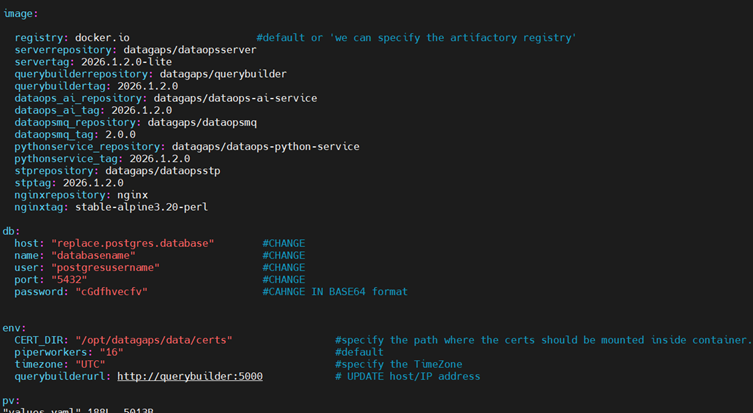
4.Open values.yaml file and make the changes which includes image version tags,Database details,namespace details and other required changes based on the requirement and save it
5.Connect to the EKS Cluster

6.Now install the application with the helm by following command

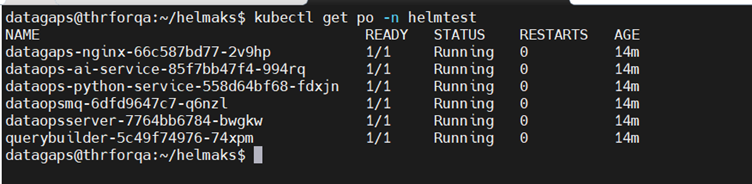
7.Check all the pods are running in the namespace
Check all the services are configured
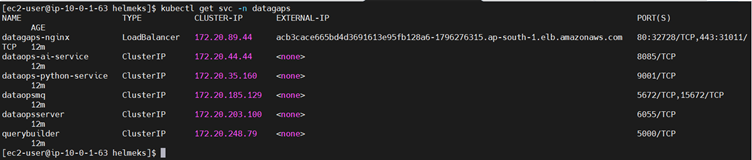
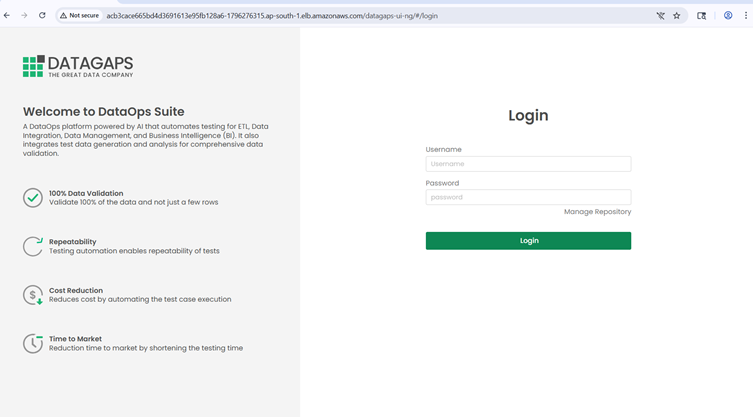
8.Access the DataOpsSuite Appplication using the external IP
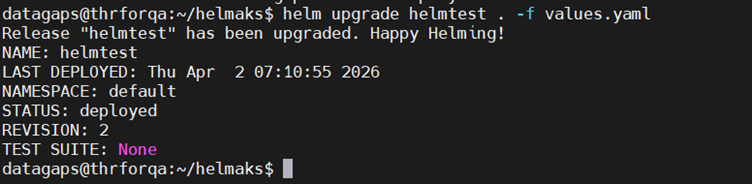
9.If any changes are made in the values file after installation we can upgrade by executing the below command
Helpful Helm Commands:
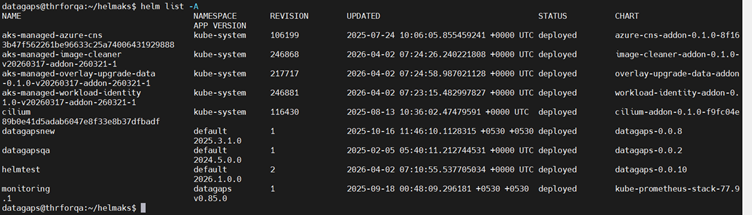
helm uninstall <release name> -- To uninstall the release (it will delete entire release(pods and everything ))