
This document provides a step-by-step guide for deploying the DataOpsSuite application on Azure Kubernetes Service (AKS) using Helm. It covers the prerequisites, configuration steps, installation process, and verification procedures required to successfully set up the application in a Kubernetes environment.
Prerequisites:
AzureCli should be Installed
Kubectl should be installed
Helm should be installed
1.Download Helm Package
Install the helm package using the s3 link provided by datagaps
wget <Helm-pacakge-link>

2.Extract the package
Unzip the downloaded file
unzip <zip-file>
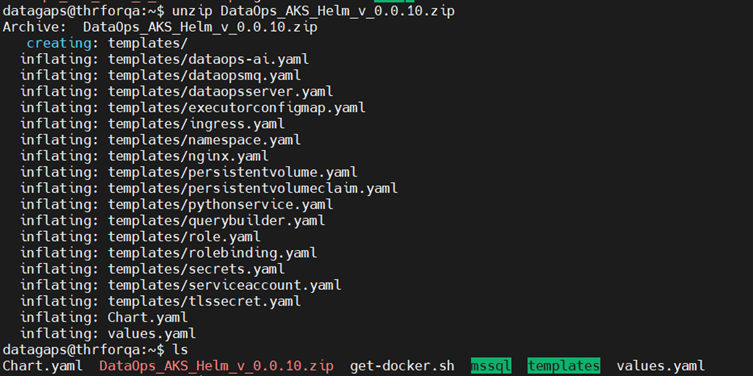
3.Organize Directory Structure
Create a dedicated directory for the Helm deployment and move the required files

Change to the newly created directory and make sure to have all the required templates in the templates folder

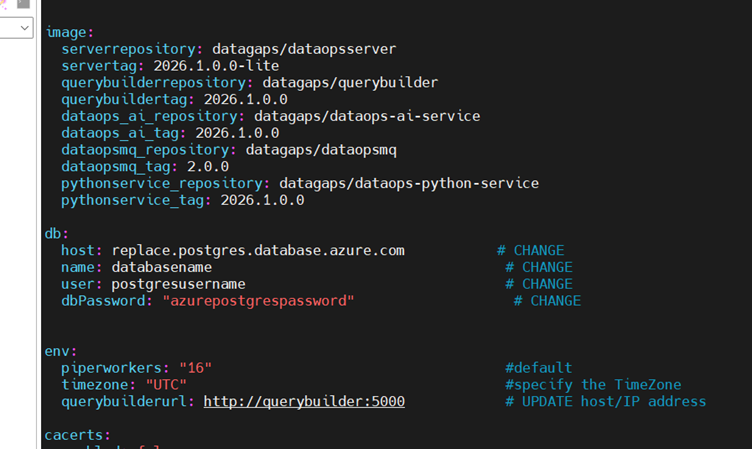
4. Update Configuration (values.yaml)
Edit the values.yaml and updtae the required parameters based on your environment
Image Repository and version tags
Database Configuration (host,port,credentials)
Namespace Details,Resource limits and environment specific settings and save the file after making the necessary changes
5.Authenticate and connect to your AKS cluster:
az aks get-credentials --resource-group <resource-group> --name <cluster-name>

6.Install the Application
Deploy the application using Helm
helm install <releasename> . -f values.yaml

7.Verify Deployment
Check if all pods are running successfully
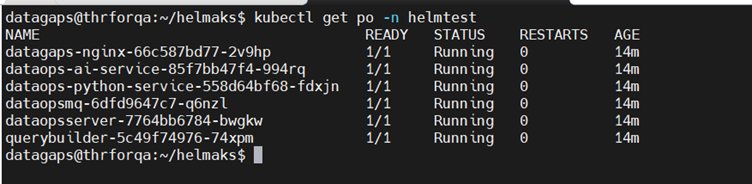
Verify Services

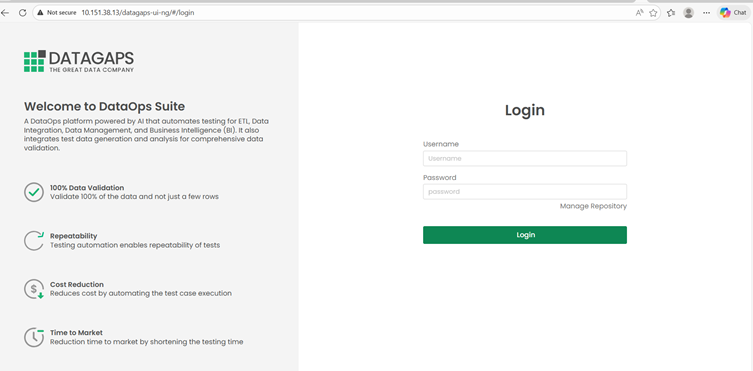
8.Access the DataOpsSuite Appplication
Access the DataOpsSuite application using the exposed service:
LoadBalancer External IP
Nodeport
Ingress (if configured)
9.Upgrade the Deployment
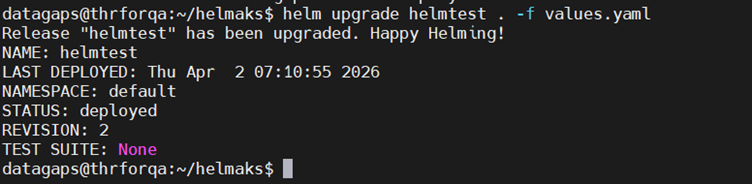
If any changes are made in the values file after installation we can upgrade by executing the below command
helm upgrade <releasename> . -f values.yaml
Helpful Helm Commands:
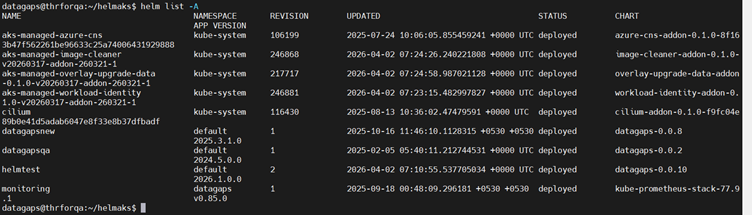
helm list -A
To list all the helm releases in the cluster
helm uninstall <release name>
To uninstall the release (This will remove all resources associated with the release)
helm lint
To check for chart issues