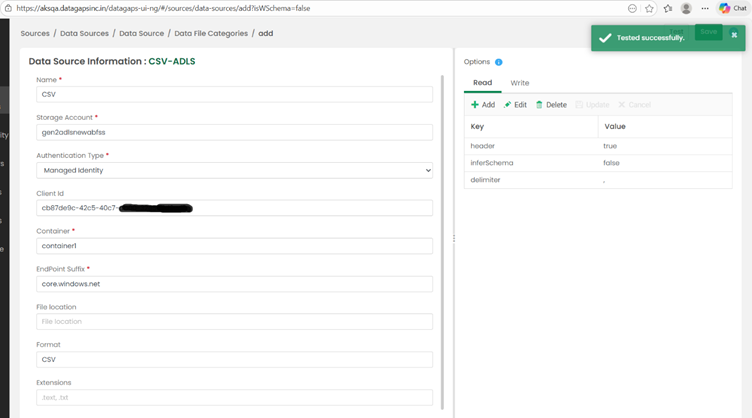
TO CONNECT TO ADLS FROM DATAOPSAPPLICATION WITH USER MANAGED IDENTITY
This document explains how to configure secure connectivity between the DataOps application running on Azure Kubernetes Service (AKS) and Azure Data Lake Storage (ADLS) using a User Assigned Managed Identity (UAMI).
1. Prerequisites
- Azure CLI installed and configured
- An existing AKS cluster with Workload Identity and OIDC Issuer enabled. Command to enable Workload Identity and OIDC Issuer
       az aks update \
           --resource-group <Resource Group Of Cluster> \
           --name <Cluster Name> \
           --enable-oidc-issuer \
           --enable-workload-identity
Or
Enable it in the Azure Portal
Clusters --> <Your AKS cluster> --> Settings --> Security Configuration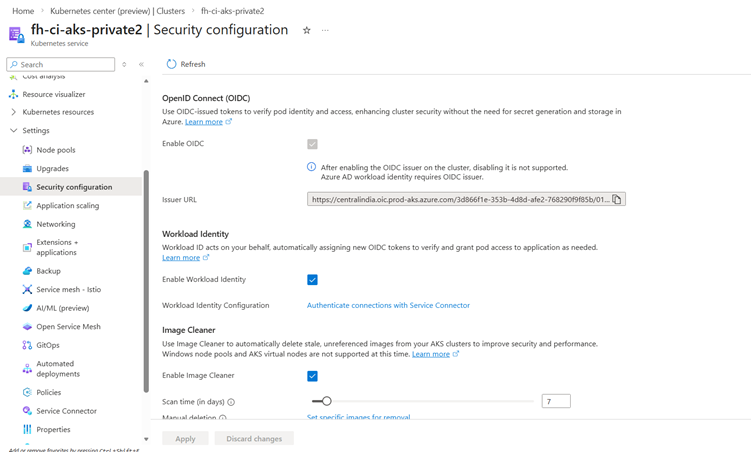
- A User Assigned Managed Identity (UAMI) created in Azure.
Reference Official Documentation:
Manage user-assigned managed identities using the Azure portal - Managed identities for Azure resources | Microsoft Learn - An Azure Storage Account with an existing container.
2. Role Assignment
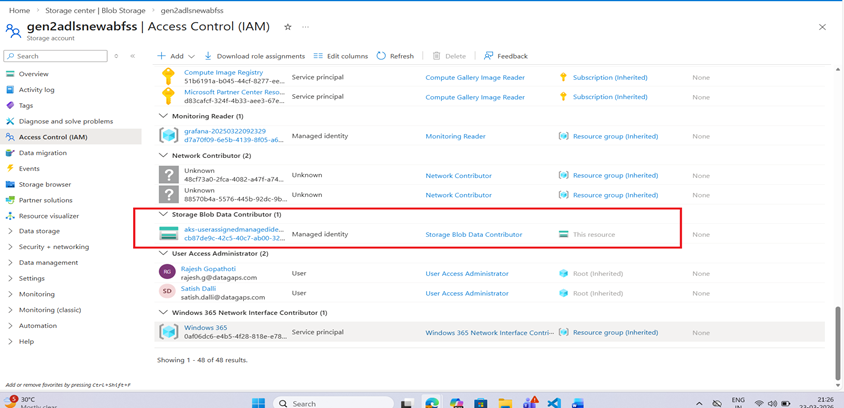
To allow AKS pods to access Azure Storage assign the following role to the managed identity used by your AKS cluster
ROLE | SCOPE |
Storage Blob Data Contributor | This Storage Account |
3.Annotate the serviceaccount in the namespace where application is deployed
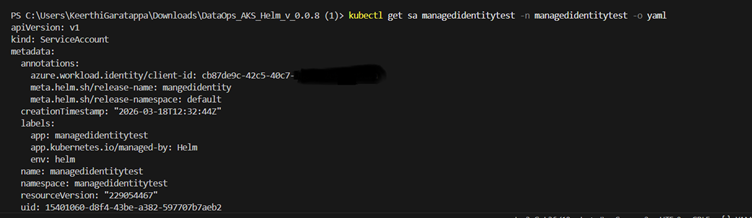
a. Annotate the Kubernetes Service Account with the UAMI Client ID so that pods can use the managed identity
kubectl annotate serviceaccount managedidentitytest \
-n managedidentitytest \
azure.workload.identity/client-id=<UAMI_CLIENT_ID> \
--overwrite
or
b. Add the client id in the serviceaccount deployment file
kubectl edit sa <serviceaccountname> -n <namespace> -o yaml
Add the Below Annotation under annotations
azure.workload.identity/client-id: <Uami Client Id>
After adding the annotation check the service account deployment file whether it is annotated properly and restart the pod once
4. Federated Identity Credential
Create the federated identity credential between the managed identity, service account issuer, and subject using the az identity federated-credential create command.
az identity federated-credential create --name <Federatedcredential Name> \
      --identity-name <Uami name> \
       --resource-group <Resource Group of the user identity> \
       --issuer <Aks-OIDC-Url \
       --subject  system:serviceaccount:<ServiceAccount Namespace>:<ServiceAccount Name>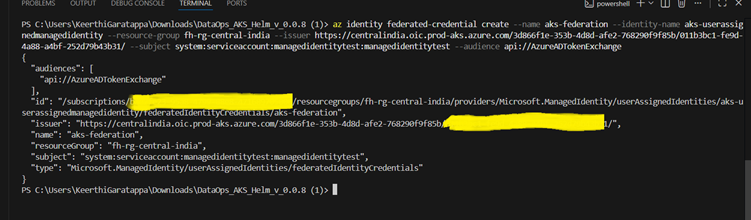
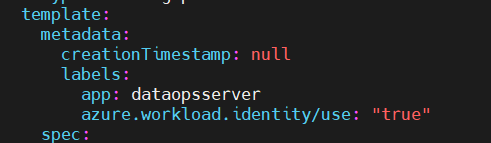
5.Add the label to the server deployment file
azure.workload.identity/use: "true"
6.Test the ADLS connection in the application with managedidentity